Garden design, measured
Plan your garden to scale, before you dig.
Draw your yard, beds and paths, place plants at their mature size, see where the shadows fall, and print plans and a shopping list to take outside. It all runs in your web browser.
- Works without an account
- Feet and inches or meters
- No ads, no tracking
What it does
Everything a planting plan needs, in one place
-
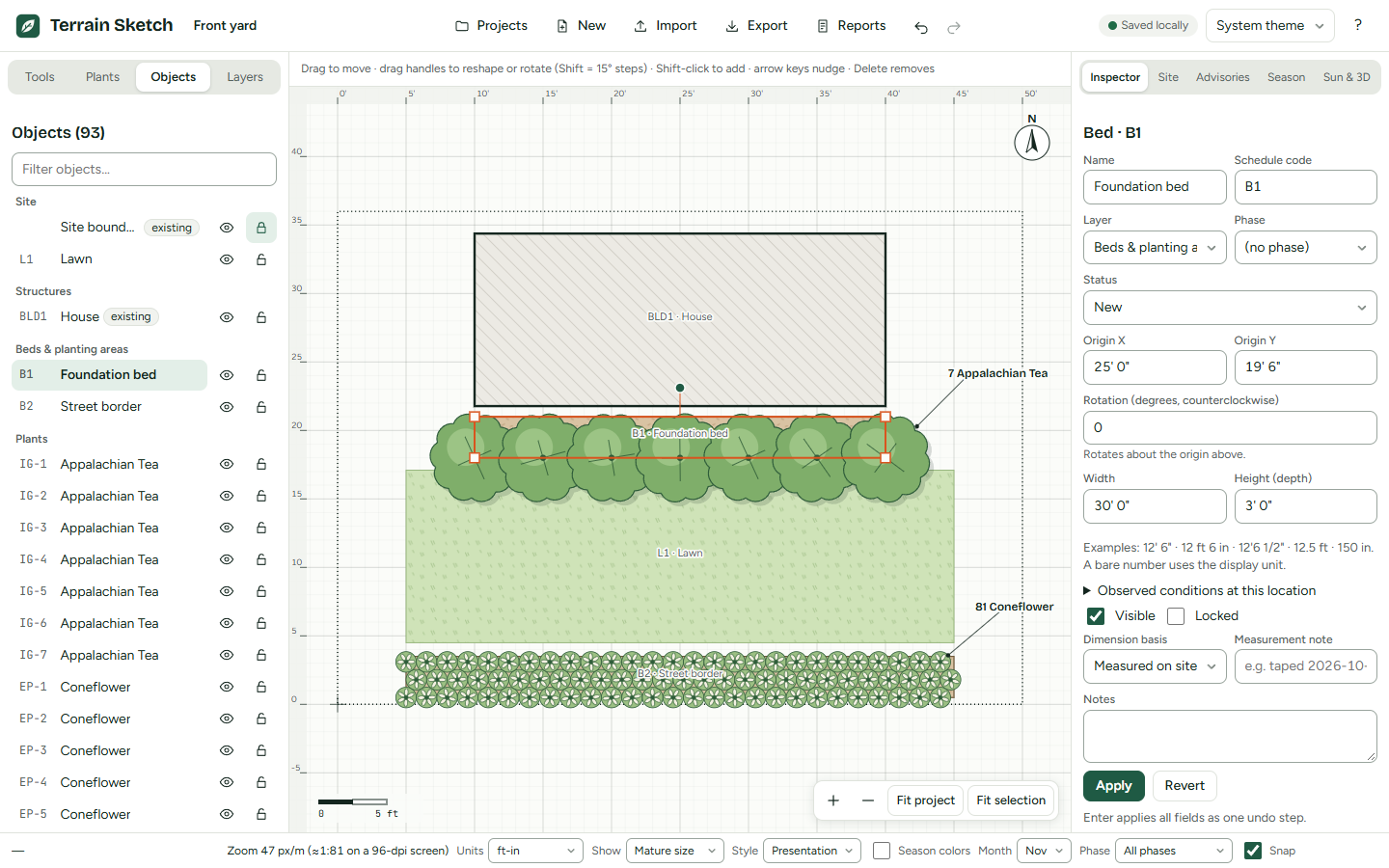
Draw to scale
Beds, lawn, paths, fences, buildings and cutouts. Drag with the mouse, or type exact sizes such as 12' 6". Trace over a photo or a plat of your lot.
-
Plants with sources
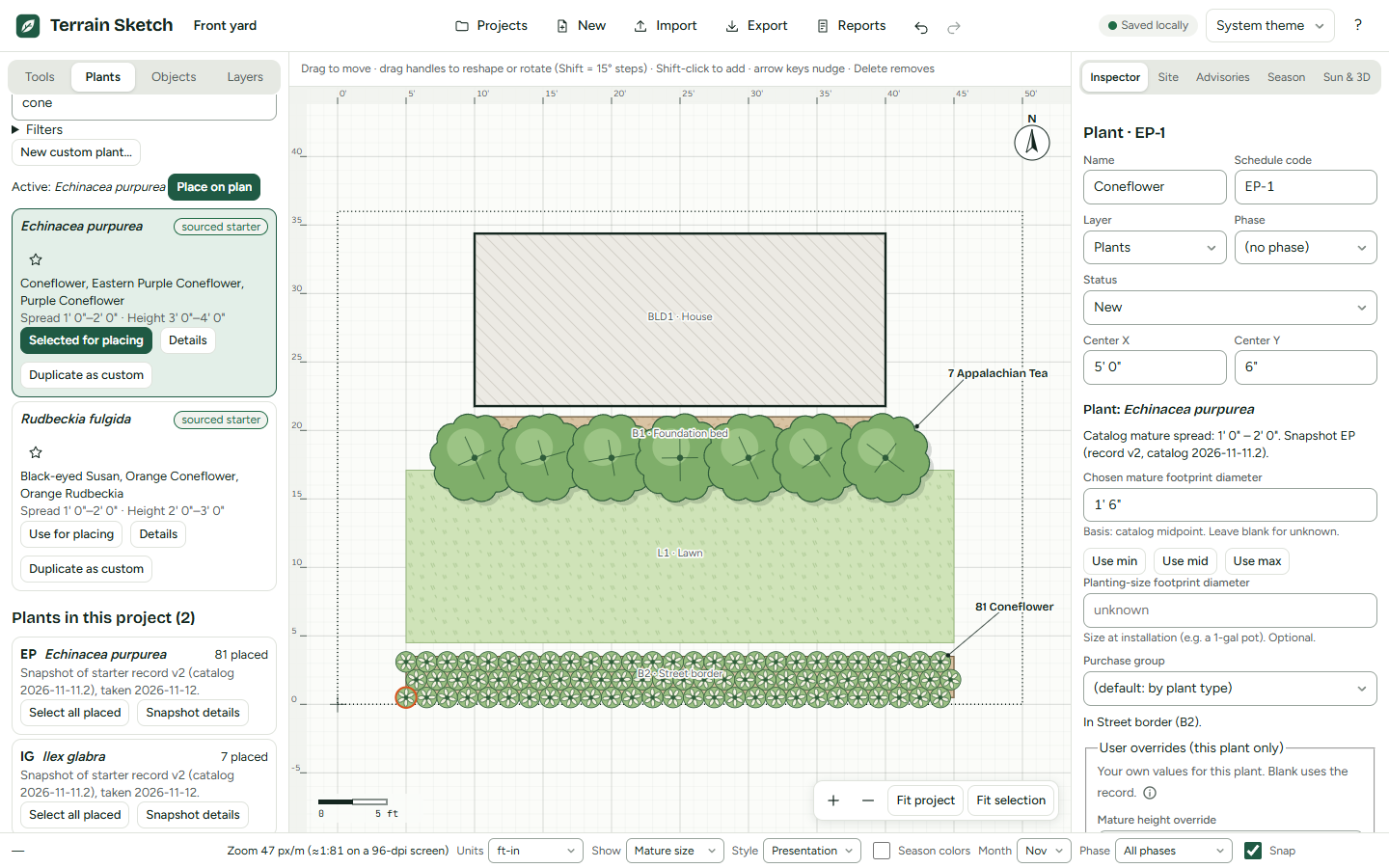
Mature sizes and spacing come with where they were found. Anything not known is marked unknown, not guessed. Add your own plants, or fill a bed in rows.
-
Sun, shade and 3D
See modeled shadows for any date and time at your site, from the heights you enter. Then look around a simple 3D view of the plan.
-
Advisories
Notes about light, moisture, hardiness and crowding, each saying what was compared and why. They point things out; they never change your design.
-
Seasons and phases
Color the plan by what is in bloom or in leaf, month by month. Split the work into installation phases and plan one season at a time.
-
Print and shop
A PDF packet with plans to true scale, dimensioned bed-by-bed pages, a planting schedule, a purchase list, material quantities and plant labels.
A closer look
From the first measurement to planting day
Measure once, draw it right
Work in feet and inches, decimal feet, inches, meters or centimeters. Every shape can be edited by number in the Inspector, so the plan matches the tape measure.
Each plant shows its chosen mature spread, and the catalog lists the range it came from, with the source.
See where the light falls
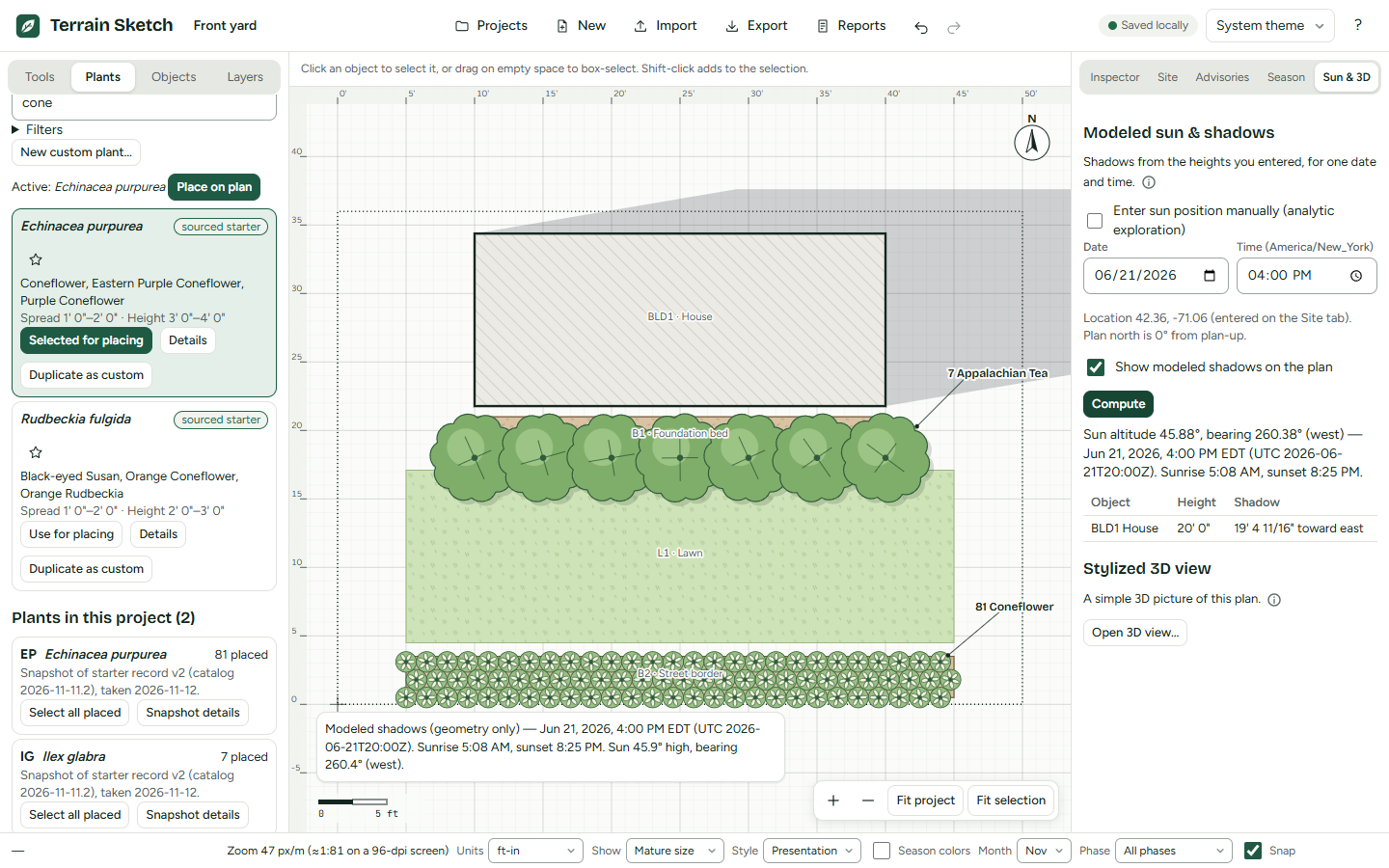
Pick a date and a time and the plan shows the shadows that buildings and plants cast, using the sun's position for the location you enter. The numbers are shown too: sun height, bearing, sunrise and sunset.
Shadows come from the shapes and heights in your plan only, and the app says so.
Walk around it in 3D
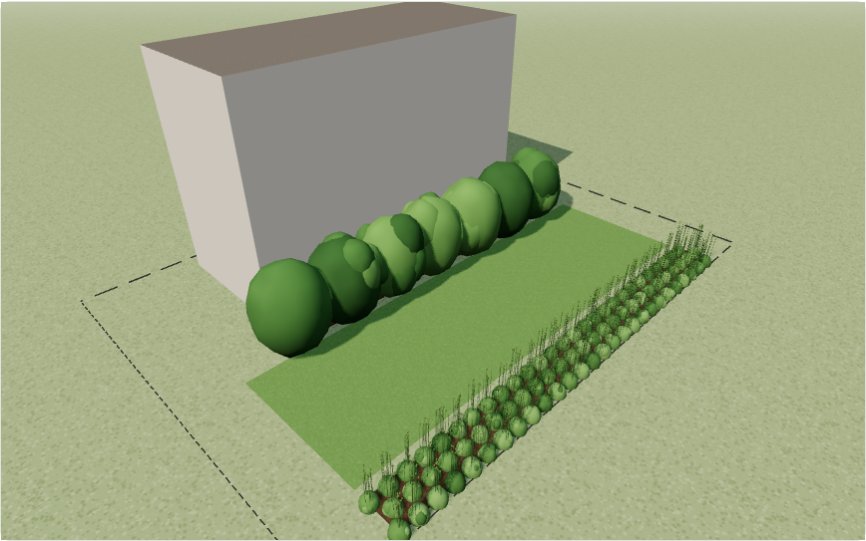
A simple 3D view built from the same plan: buildings, beds and lawn, and every plant as wide as its footprint and as tall as its height. Orbit and zoom around it, or switch to eye level and walk through the garden.
Take it outside
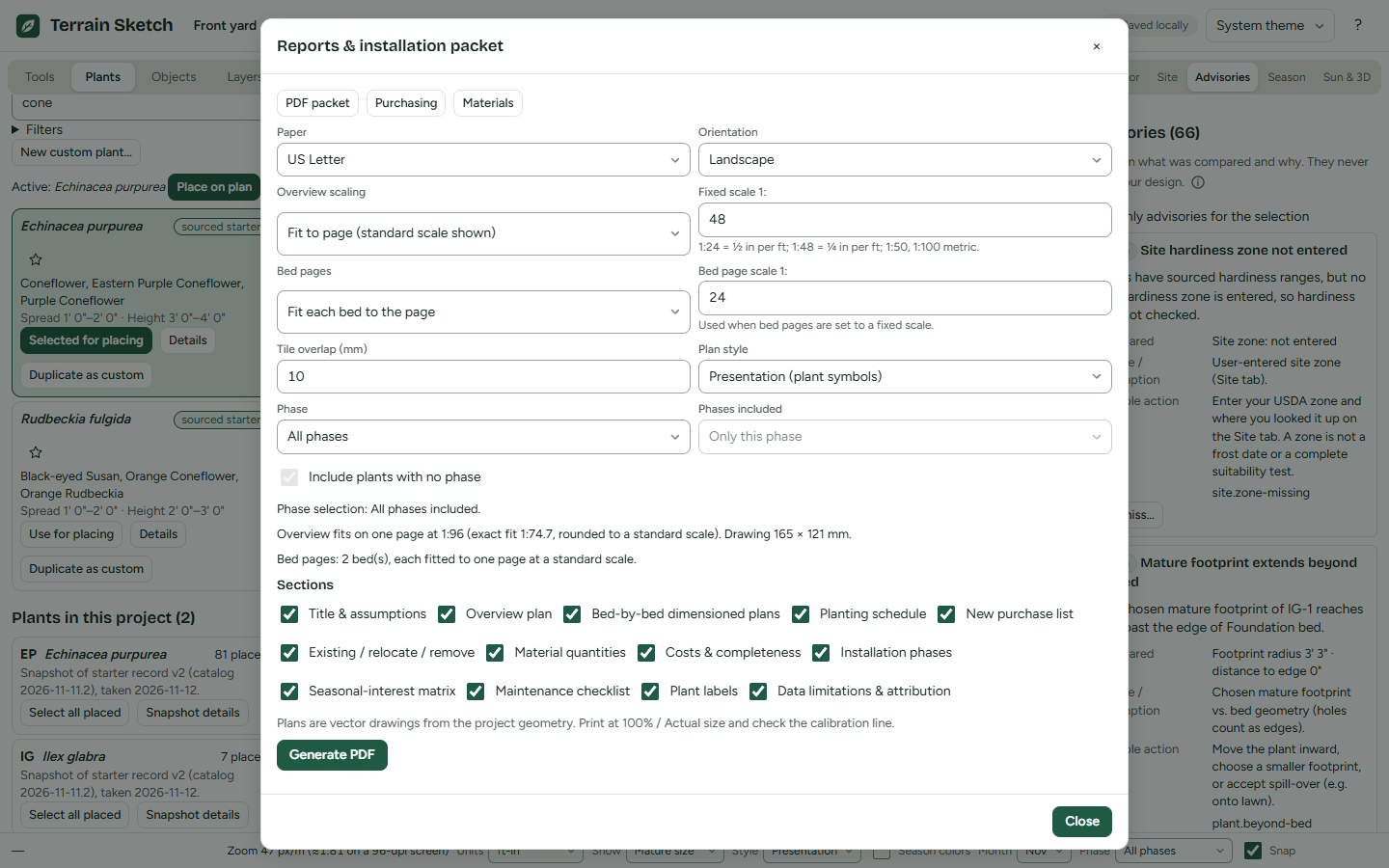
Print an installation packet on US Letter or A4 at a standard scale, with a calibration line to check it. Choose the sections you need, from the overview plan to plant labels.
Plans are drawn from the design itself, so what you print is what you drew.
Your work, your device
Your garden stays with you
You do not need an account. Projects are saved in your browser, on your device, as you work.
With a free account they are also saved to this site's server automatically, so you can open them on your other devices. The copy in your browser stays too.
- No ads, no tracking, no analytics. The site never asks for your location.
- Backups you hold. Export a project to a single file to keep it safe or move it to another computer, and import it again any time.
- Works offline. After your first visit the app opens without an internet connection. Only accounts and saving to the server need one.
- Optional free account. An account saves your projects to this site's server automatically, so you can open them on other devices, go back to older versions, and share a project as a Viewer or an Editor. The server stores your email, your name, a scrambled form of your password, and your projects, including site coordinates and photos you add. The person who runs this site can read them. You can download or delete everything under Account. Create a free account Already have one? Sign in New accounts are by invitation. Sign in This site is not adding new accounts. Sign in
Saving in the browser is not a backup: clearing browser data or using a private window can remove your projects. Use Export now and then.
Start with a blank site, or look around a sample garden.
Open the editor, choose New, enter your site's width and depth, and start drawing.